← All work Design systems · Animotive

A design system built with engineering

Role
Sole UX/UI designer
Timeline
2021 – 2026
Partners
Engineering team
Tools
Figma libraries, Claude, application specification, information architecture
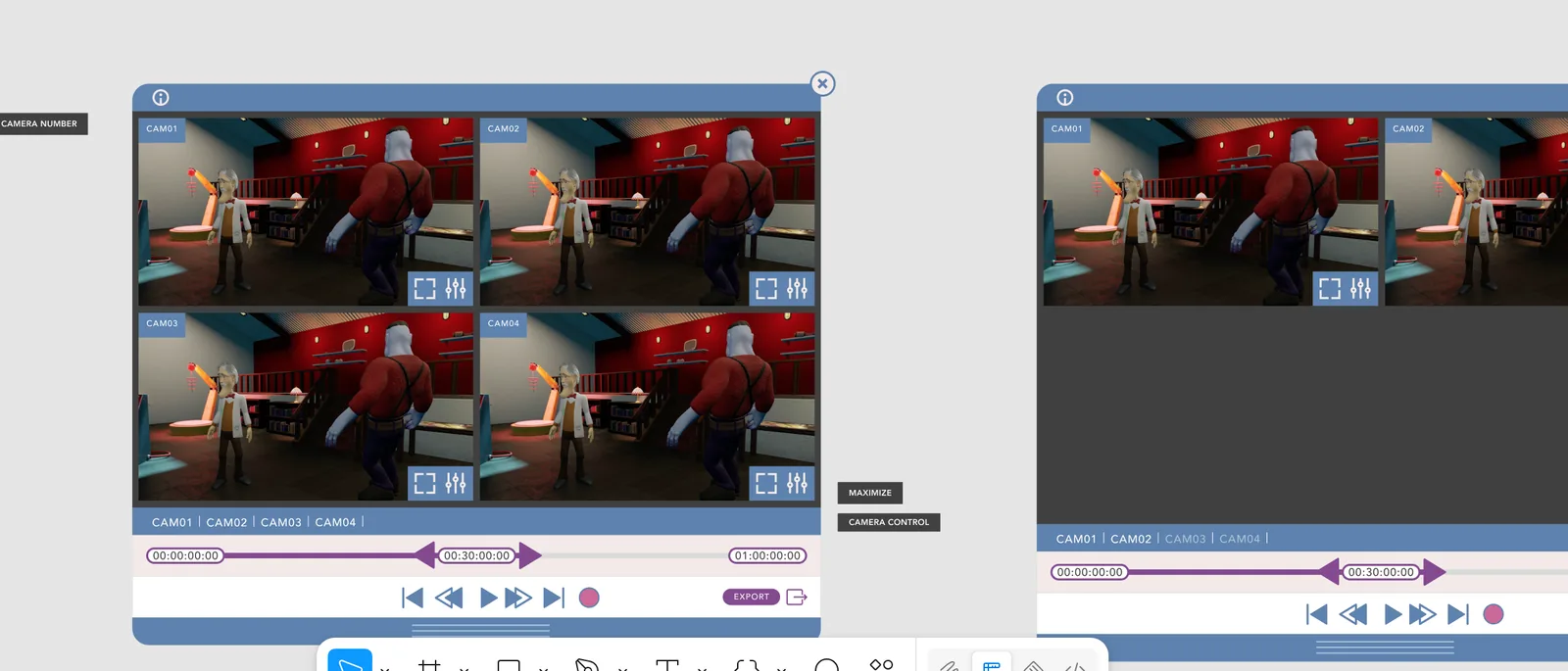
Figma frames for the monitor and edit controls: a four-camera grid with a timeline and transport controls.
01 A first, exploratory iteration. It kept crumbling under the weight of its own complexity.

Context

Developers were recreating designs from Figma files from scratch in their own platforms, which was slow and tedious. An object-oriented approach, refined over several iterations, let us change a tested interface faster from one release to the next.

Designing inside real constraints

I designed the system with the engineering team, within what the engine could render: a Unity-specific version of C# and a UI toolkit with many limitations.
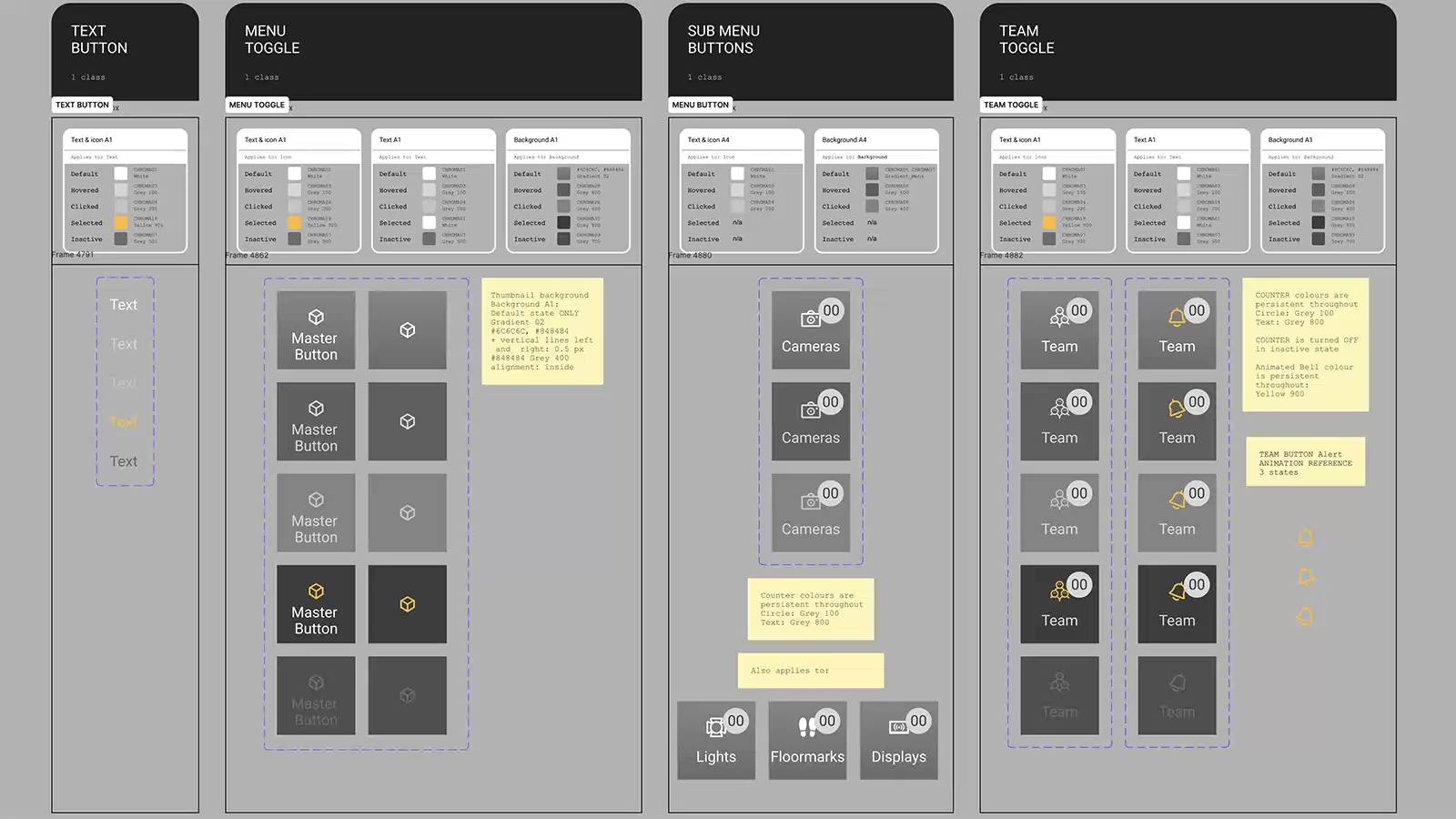
A component sheet: text button, menu toggle, sub-menu button and team toggle, each shown with its states and annotation notes.
02 A more mature version. Interactive states, libraries, variables, colour profiles and tokens make for a more practical hand-over.

Adoption and governance

Web developers and Unity developers refer to the same system and the same style properties, so the components they build look and behave alike.
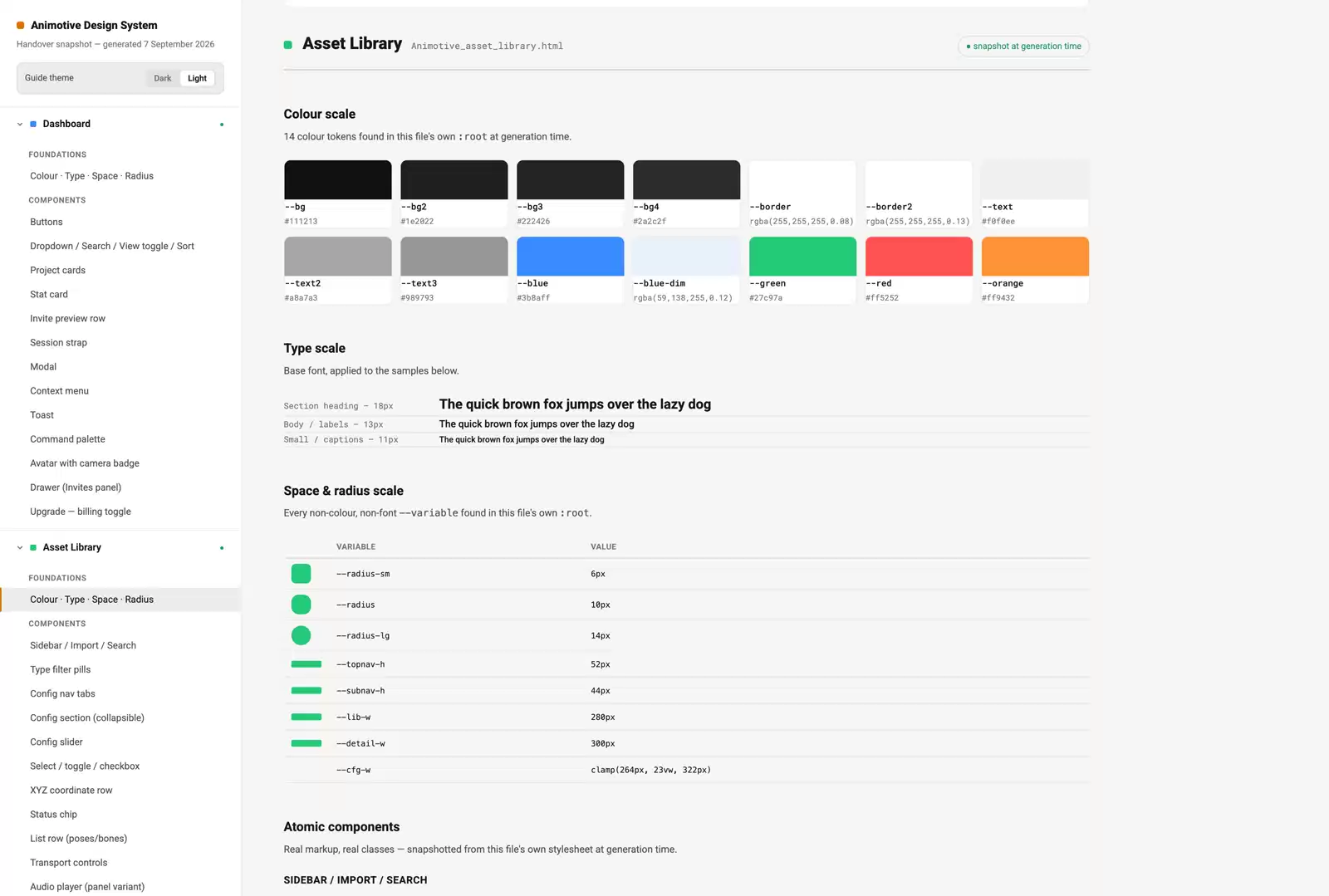
A generated documentation page for the design system, showing the colour scale, type scale, spacing and radius tokens and a list of components.
03 An AI-assisted distillation of the system. Inconsistencies and omissions were corrected and checked against WCAG and ARIA guidance. It includes notes and toolkits for building components in Unity (C#) and React.

Download the latest design system here (PDF) ↓

The system is easier to maintain, and new components are quicker to create.

Next case study Working with AI, with checks →